
使用这些热门的 AI 视频效果将文本和图像转换为视频
FrameCue AI 提供各种创新的 AI 视频效果,包括 AI Kiss、AI Hug、AI Inflate 等。现在就使用这些热门的 AI 视频生成器释放您的创造力!
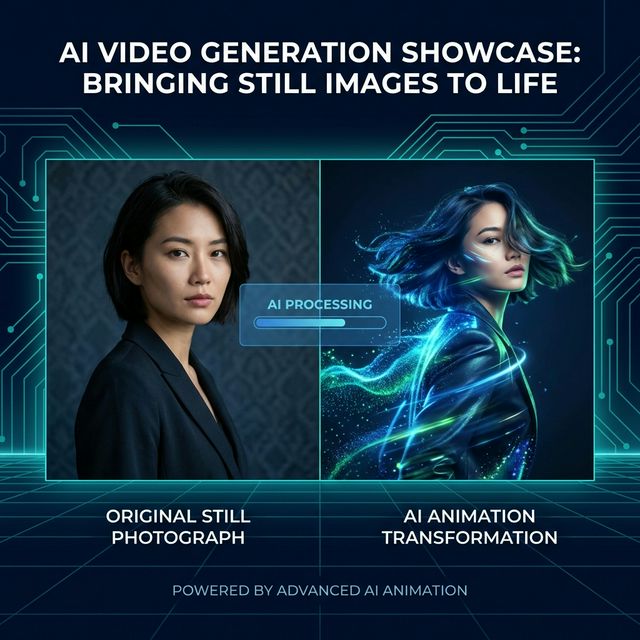
用 AI 动画让静态图像生动起来
将任何照片转换为迷人的动态。我们的 AI 让静态图像——动漫艺术、油画或真实照片——活灵活现。上传您的图像,观看 AI 如何在保留每一个细节的同时添加流畅自然的动作。
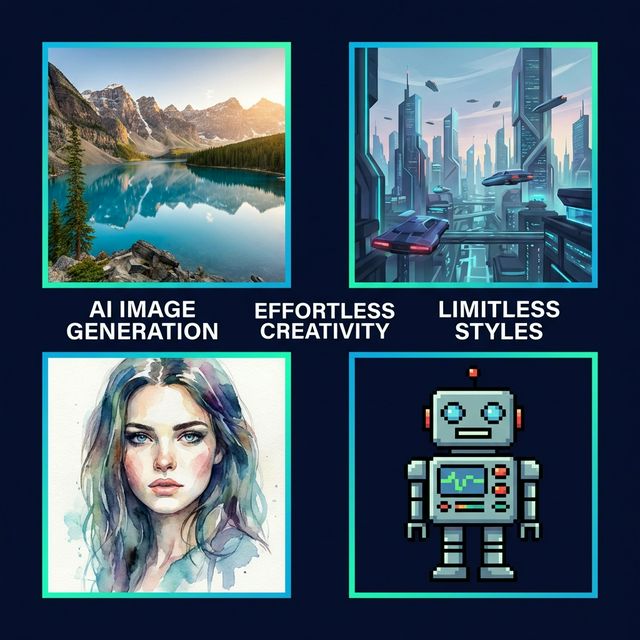
适用于任何风格
从卡通到真实感,AI 无缝适配。
完美的一致性
准确保持表情和背景。
常见问题
FrameCue AI 是一个全方位的 AI 图像和视频创作平台。生成图像、创建视频、增强质量等等——拥有一套完整的工具,旨在轻松制作高质量的视觉内容。无论您是在制作个人项目还是专业内容,FrameCue AI 都能帮助您快速、简单、轻松地创建出令人惊艳的作品。
是的,FrameCue AI 被设计成用户友好型,适合初学者和专业人士。其直观的界面和强大的 AI 工具使用户能够在没有设计经验或学习成本的情况下创建高质量的设计。
开始使用非常简单。只需在浏览器中打开 FrameCue AI,选择您需要的工具,输入提示词或上传图像即可。它对初学者非常友好,只需几秒钟。
不需要。FrameCue AI 专为每个人设计。其直观的界面使任何人,即使没有设计经验,也能快速创建专业的视觉内容。
What is FrameCue AI?
FrameCue AI is an independent creative studio for generating videos and images from prompts, reference images, and visual ideas. It brings text-to-video, image-to-video, AI image generation, and video effects into one simple workspace so creators can move from concept to finished visual without managing separate tools.
Why Choose FrameCue AI for AI Video Generation?
FrameCue AI is designed around practical creative workflows. You can start from a text prompt, animate a still image, create an AI image, or explore video effects from the same account. The interface keeps model selection, aspect ratio, duration, and output settings clear, so the experience feels like a product rather than a raw model wrapper.
The platform integrates third-party creative models such as Seedance, Veo, Nano Banana, and other image or video tools where available. Model names are used only to identify available generation options; FrameCue AI remains an independent product with its own interface, billing flow, moderation controls, and user experience.
Key Features of FrameCue AI
- Text-to-Video: Turn written concepts into short video clips for social media, product visuals, ads, and creative experiments.
- Image-to-Video: Animate reference images while preserving composition, style, and subject identity where supported by the selected model.
- AI Image Generation: Generate or edit still images from prompts and reference images for campaign assets, thumbnails, and creative drafts.
- Flexible Output Settings: Choose aspect ratio, duration, resolution, and model options based on the content you want to produce.
- Content Safety Controls: User prompts are screened before image or video generation to keep the production flow aligned with content safety requirements.
How FrameCue AI Works
To create a video or image, choose a tool, enter a prompt, upload a reference image when needed, and select the output settings. FrameCue AI checks the prompt through moderation before sending an approved request to the selected generation model. This keeps the creative flow simple while adding the safety controls expected of a production AI platform.
Once the task is created, FrameCue AI tracks the generation status and returns the result when processing is complete. You can use the finished visual in personal projects, marketing materials, product showcases, or social content according to the applicable terms and content policy.
Use Cases for FrameCue AI
Content Creators: Create short-form videos, visual hooks, intros, and style experiments for social platforms without starting from a blank editing timeline.
Marketing Teams: Test campaign visuals, product scenes, and ad concepts quickly before committing to a full production workflow.
E-commerce Businesses: Turn product images into motion concepts, lifestyle scenes, or visual drafts for storefronts and promotional content.
Designers and Creative Operators: Explore directions, generate references, and move faster from idea to shareable visual.
Getting Started with FrameCue AI
Getting started is simple: open FrameCue AI, choose the creative tool you need, enter a prompt or upload an image, and generate. New users can explore the workflow with free credits before upgrading for heavier usage.
FrameCue AI is built to make AI visual creation approachable without hiding the controls that matter. You can keep the workflow simple, or tune model, ratio, duration, and prompt details when you need more control.
A Model-Agnostic Creative Platform
AI creation tools are evolving quickly, and FrameCue AI is designed to adapt. As new image and video models become available, the platform can add them as integrations while keeping a consistent product experience, safety layer, and creative workflow for users.